Super Simple Slider by Nd
Super Simple Image Slideris a sleek and intuitive custom post type-based image slider designed for effortless integration. This lightweight and user-friendly Gutenberg widget allows you to showcase images beautifully, making it the perfect choice for anyone seeking a straightforward yet powerful slider solution. Quick to set up and easy to use—just add your images and let the slider do the rest!

build with
- wordress
- custom gutenberg block plugin
- php
- react
- clone from github repository
- clone from github repository
Gutenberg Native
Seamlessly integrated into the WordPress block editor. No messy shortcodes, just a clean, visual drag-and-drop experience that feels like a natural part of core.
Post-Type Powered
Manage your slides like any other content. Use WordPress’s robust Post Type system to categorize, tag, and organize your visuals with military precision.
How To Install ( compiled version )
steps
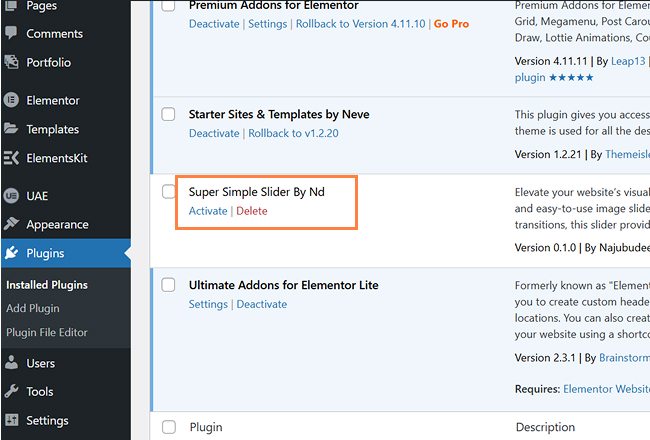
1. Install and activate the Super Simple Slider plugin from your WordPress dashboard like other plugins. Lightweight and zero bloat.
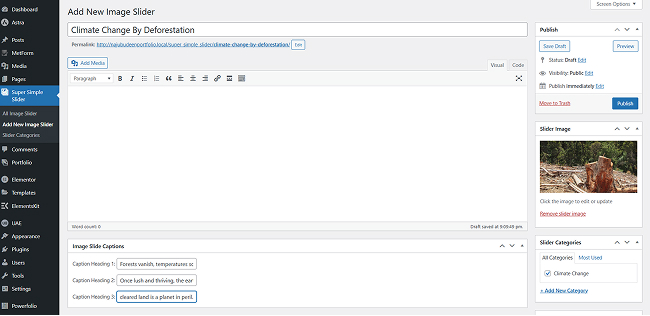
2. Go to Super Simple Slider Menu in admin dashboard and Click on Add new Image Slider. add image and category ( Adding category for each slider is mandatory )for the slider.
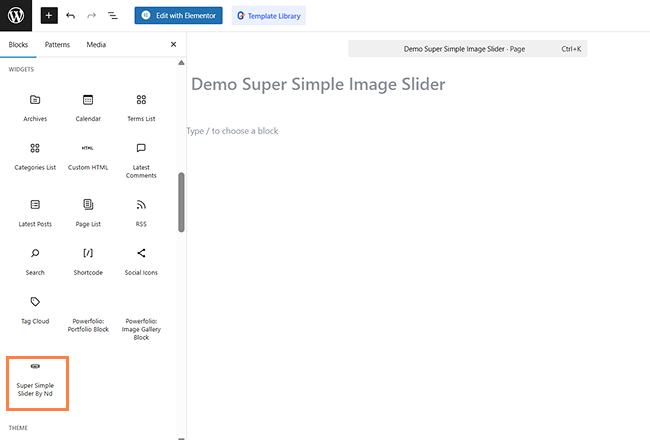
3. open or add new page. then open Gutenberg editor. search super simple image slider in widget section and add it to wherever you want.
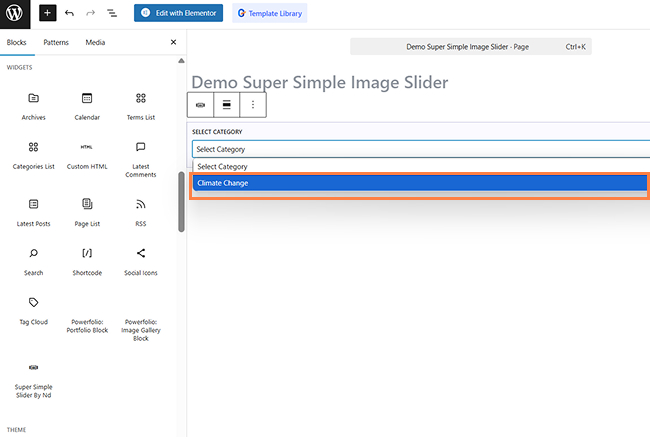
4. after adding widget, a select category dropdown field will appear. select the image category that added while creating image slider.
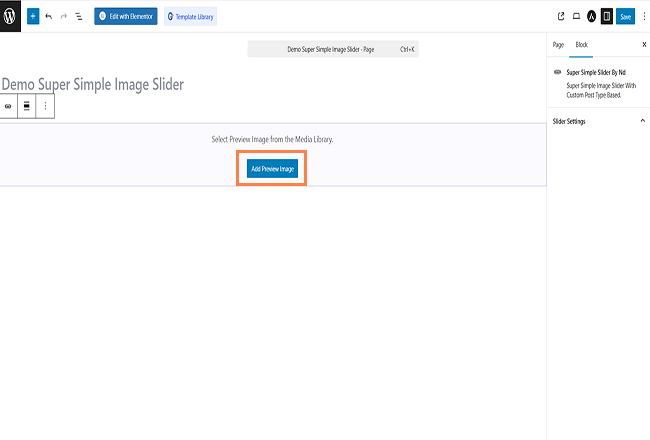
5. Select a preview image for editing slider from media library.
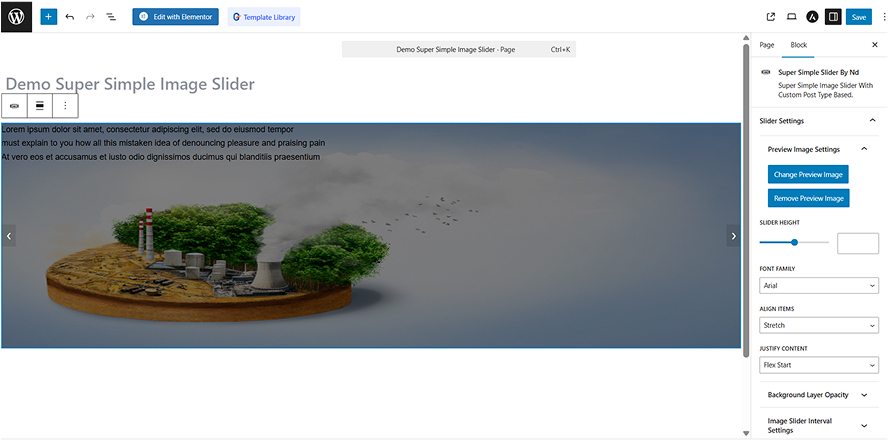
6. We can edit captions by using editing tools.
How To install ( uncompiled version )
steps
- Download and install plugin.
- open project folder with any code editor.
- open terminal and type npm install in order to install dependencies.
- then type npm start to run the script.
© 2026 Najubudeen WordPress Developer. All rights reserved.